Small-store operations can become fragmented across handwritten records, spreadsheets, and informal workflows, which makes stock and sales decisions harder to inspect.
StockifyX
An inventory, sales, invoice, and analytics system for a family store, designed to replace scattered records with one operational workflow.
Full-stack / Database / Analytics / Product workflow
Web app / Database / Invoice generation / Dashboards
A practical operational system for inventory, invoice, and reporting workflows in a real store context.
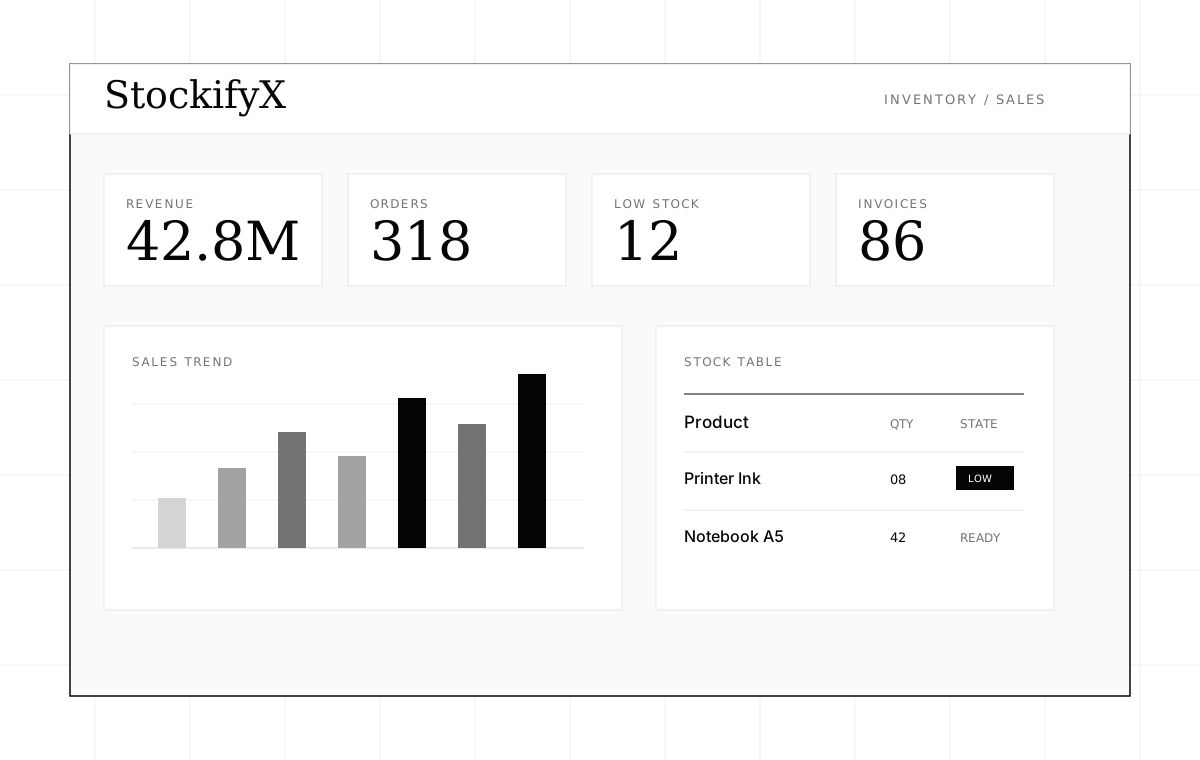
Monochrome StockifyX dashboard wireframe with revenue metrics, sales chart, and stock table.
Problem
Small-store operations can become fragmented across handwritten records, spreadsheets, and informal workflows, which makes stock and sales decisions harder to inspect.
What I Built
Build a practical store operations system that keeps inventory, sales, invoices, and analytics connected through one workflow.
- Inventory record management for store products.
- Sales entry tied to stock movement.
- Invoice generation for transaction output.
- Dashboard views for revenue, low stock, and operational reporting.
System Design
The work is organized around the data flow: inputs, transformation steps, review points, and outputs. Keeping those boundaries explicit makes the system easier to test and iterate.
- Inventory records
- Sales entry
- Invoice generation
- Analytics aggregation
- Reports
Technical Decisions
Keep sales entry and inventory updates in the same operational workflow.
Stock accuracy depends on every sale being reflected in inventory state.
The sale flow requires stricter validation, but it avoids disconnected reporting later.
Derive analytics from transaction records instead of manual summary fields.
Reports should reflect source operations and stay consistent as filters or date ranges change.
Dashboard queries need clearer aggregation logic instead of reading prefilled totals.
Treat invoices as outputs of sales data, not a separate document system.
Invoices should match the recorded transaction and avoid duplicate entry.
Invoice layout flexibility is constrained by the underlying sale model.
Interface Decisions
Draft notes will be added as the project changes.
- Prioritize dense but readable tables because the primary user needs fast operational scanning.
- Use compact metric panels for revenue, orders, low stock, and invoice status.
- Keep chart elements tied to store decisions rather than decorative analytics.
Current Status
Built / evolving. A practical operational system for inventory, invoice, and reporting workflows in a real store context.
- Preserving data consistency between sales, inventory, invoice output, and reporting.
- Designing a workflow that is fast enough for store use but structured enough for later analytics.
- Avoiding duplicated business rules across dashboard views.
Next Iteration
Draft notes will be added as the project changes.
- Tighten validation for inventory-changing operations.
- Improve invoice templates and export behavior.
- Add better reporting filters and date-range controls.